Skip to content

Early Access until November 30 — pay 5 days after you get booked. See the terms

JOPH

For service providers

Make “Great Job” Easier to Earn.

JOPH keeps customers, providers, and personnel connected from the first accepted Job Order to the final review—so delivering a great service experience feels easier.
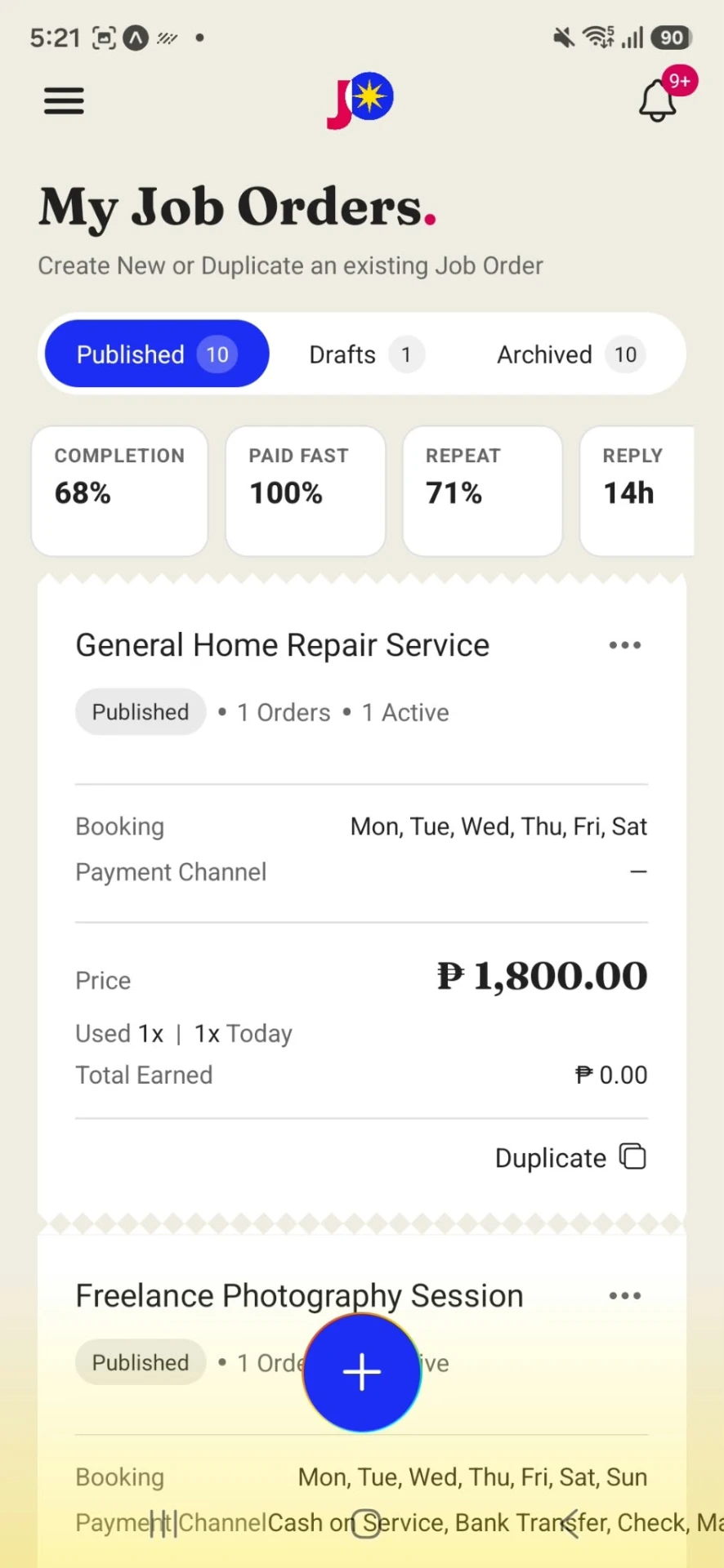

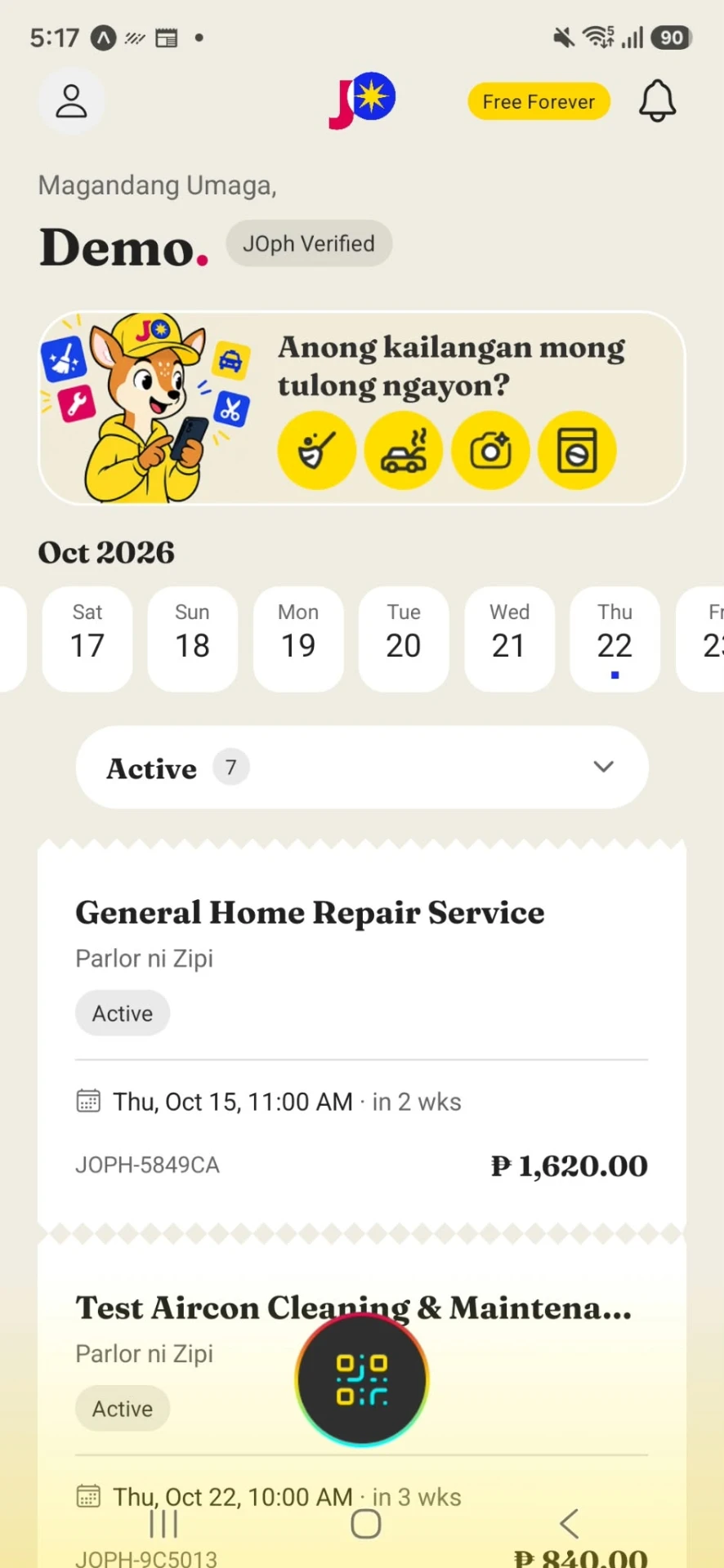
My Job Orders screen with completion, paid fast, repeat and reply figures above a list of active job orders
YEY! See you soon!
My Job Orders, as shipped: performance is read before volume, so the next step is obvious.

Great reviews start before the review

A “Great Job” isn’t just about getting the job done.

It starts with the little things.

  • Did you get my request?
  • What’s happening next?
  • Who’s coming?
  • When will they arrive?
  • Is everything still on track?

JOPH keeps those details connected, so customers feel informed and taken care of throughout the service.

Because the way you deliver the service is part of the service.

How it should feel

Great service should feel good along the way.

01 · Feels

Clear

Everyone knows what’s happening.

Requests, details, updates, and next steps stay connected to the Job Order.

02 · Feels

Connected

Nobody is left wondering what’s next.

Customers, providers, and personnel stay on the same page.

03 · Feels

Professional

Give customers an experience worth remembering.

Present your services clearly, communicate professionally, and keep every Job Order organized.

04 · Feels

Reassuring

Know who’s showing up.

Personnel can check in through the JOPH QR code, so customers can verify they’re connected to the active Job Order.

05 · Feels

Easy

Less back-and-forth. More getting things done.

JOPH keeps the moving parts together so you can focus on the actual service.
Awesome!

One Job Order

Everything the job needs. In one place.

A customer request shouldn’t turn into five different conversations, scattered details, and unanswered questions.

JOPH keeps the conversation, updates, service details, personnel, and activity connected to one Job Order.

Accepts Confirm Update QR Check-in Service Review

One Job Order. One shared connection.
  1. Accepts Customer accepts
  2. Confirm Provider confirmation
  3. Update Personnel assignedLive update
  4. QR Check-in QR check-in
  5. Service Service completed
  6. Review Customer review
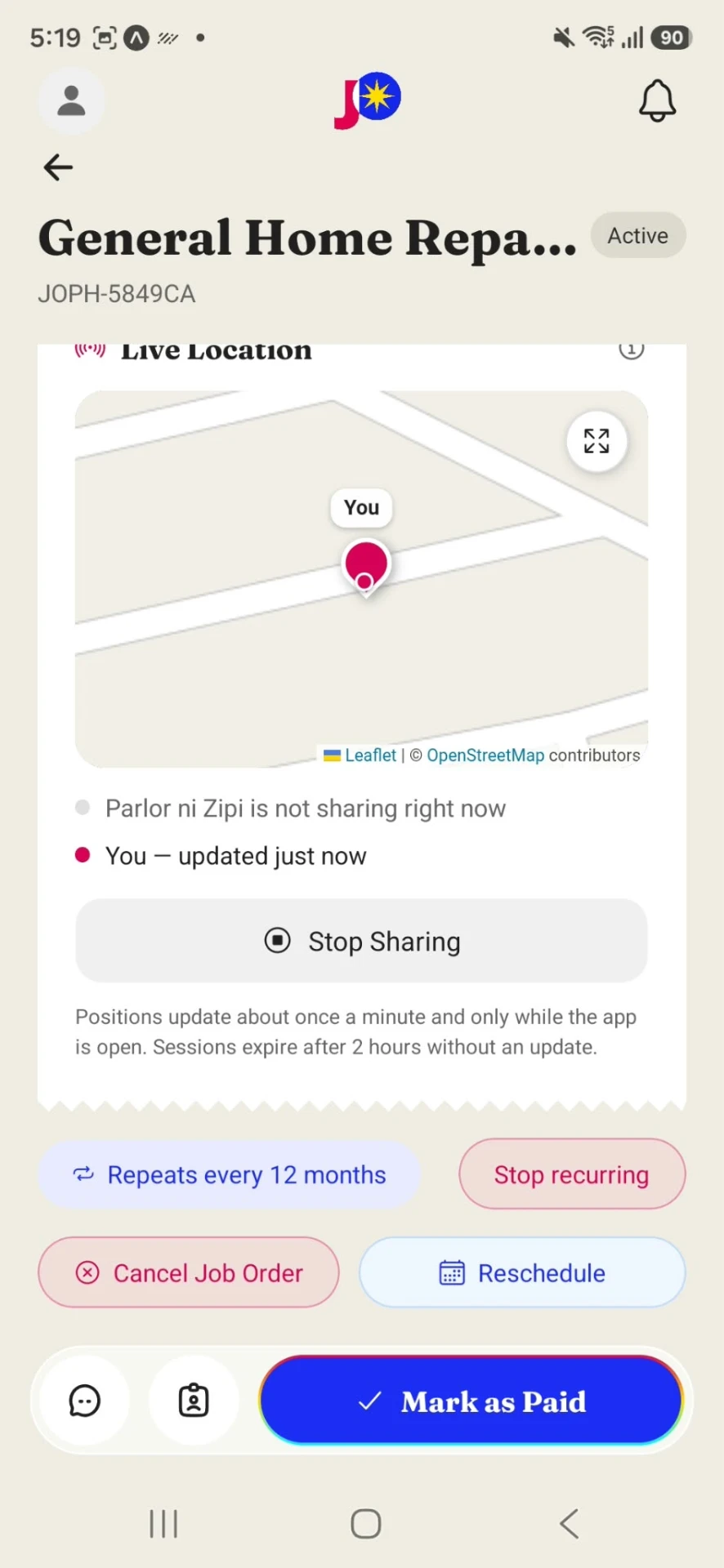
Live tracking screen showing the provider's location and arrival progress on the active job order
Any updates?
Live tracking on the active Job Order, as shipped in the app.

No more “just checking”

Keep the conversation with the job.

Customers can ask questions, send details, and get updates without jumping between different apps.

With In-JO Chat, the conversation stays right where the work is happening—inside the Job Order.

No searching through old messages.

No wondering which chat has the latest details.

Just open the Job Order and pick up where you left off.

Less “Did you get my message?” More “Got it.”
On my way! All set! Job Done!
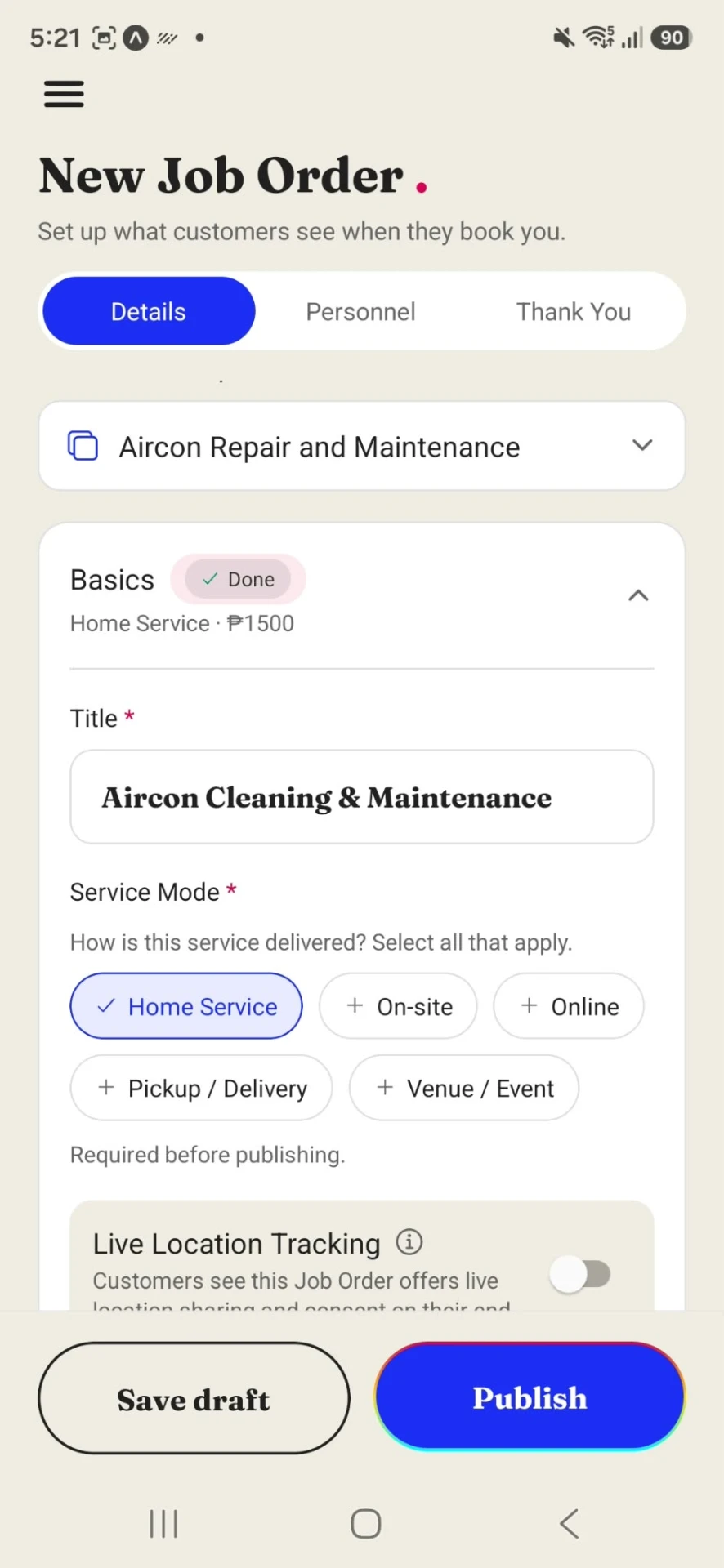
New Job Order screen with Details, Personnel and Thank You steps, service mode options and a live location tracking toggle
The offer you publish Details, personnel and thank-you steps, set before it goes out.
Customer schedule screen showing booked services and a booking calendar
The schedule they book Booked services and availability, in one view.

Get discovered

Make it easy for customers to choose you.

Show customers what you offer, how much it costs, when you’re available, and what other customers think.

  • When you’re free

    Booked services and availability in one view, so choosing a time needs no message back and forth.

  • What other customers think

    Reviews sit with the service, so trust is visible before the first message is sent.

  • The details they were given

    Terms and reminders stay on the Job Order, so nothing depends on remembering a message.

Clear service details make confident customers.

Professional service

You don’t need a big company to feel professional.

Whether you’re an independent provider or managing a team, JOPH helps you give customers a more organized, connected service experience.

From the first accepted Job Order to the final review, every interaction can feel intentional.

Professional service. Even for small providers.
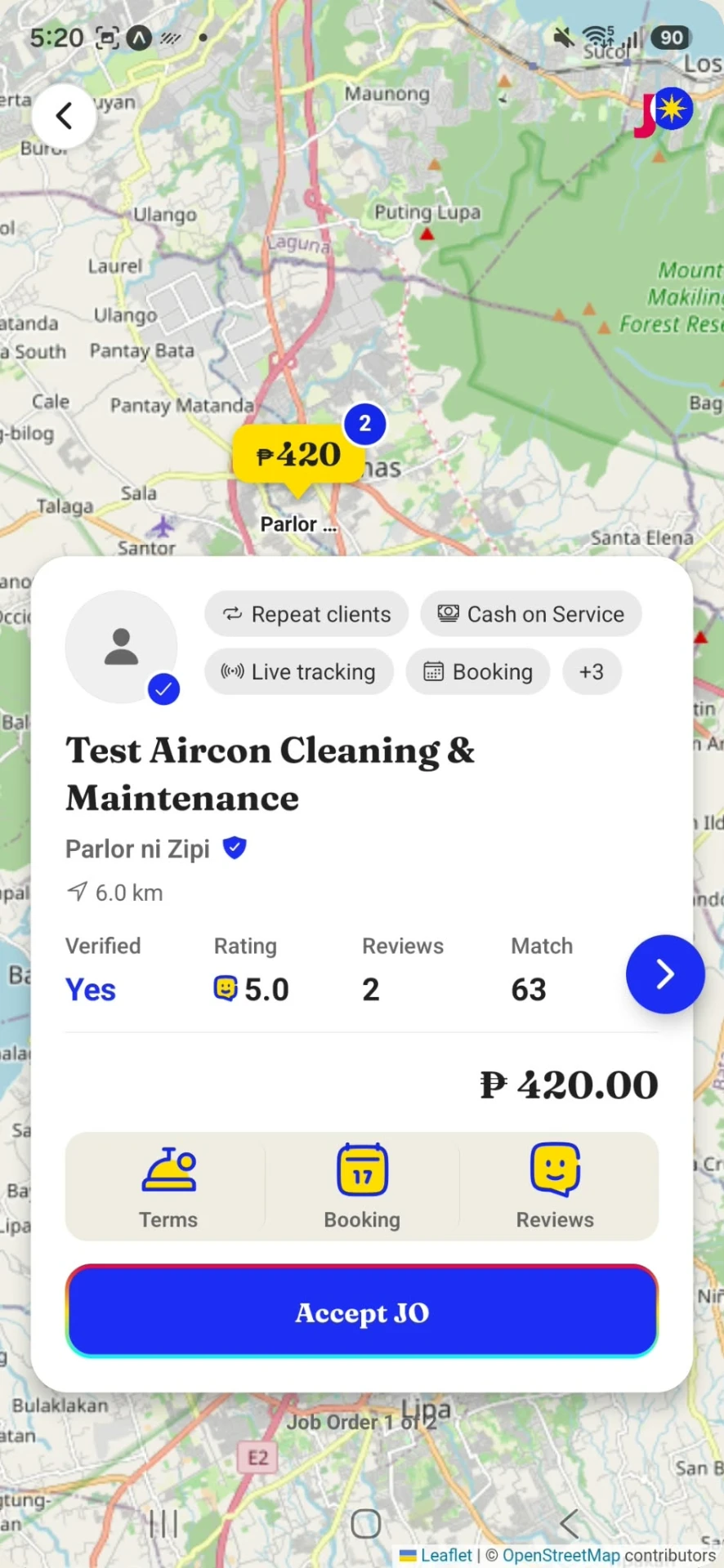
Provider screen with a pending job offer ready to accept
A pending offer, as shipped. One tap to confirm—and the customer sees it, too.

Know who’s serving them

The right person. The right Job Order.

Assign personnel to a Job Order and let them check in through the JOPH QR code when they arrive.

Customers can verify that the person at their location is connected to their active Job Order.

A little more certainty goes a long way.
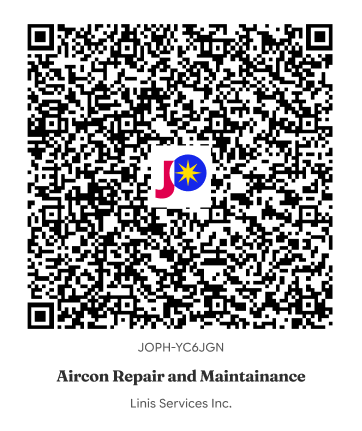
JOPH check-in QR code
Sige na!
The check-in code on the active Job Order. JOPH-YC6JGN — Aircon Repair and Maintenance, Linis Services Inc.
Assign The provider names who is going.
Arrive At the address, on the booked date.
Scan The JOPH QR code on the active Job Order.
Verify The customer sees who is assigned.
Start Both sides know the job has begun.

From the customer’s side

They don’t need to know how you make it happen.

They just want to know:

  • Did you get my request?
  • What’s happening next?
  • Who’s coming?
  • When will they arrive?
  • Is everything still on track?

JOPH helps you answer those questions before customers have to ask.

Good service feels easy.
Perfect!

The part that matters

A happy customer is great. A customer who comes back is even better.

When the service is clear, connected, and professional, customers remember the experience—not just the work itself.

That can lead to better reviews, more trust, and more repeat customers.

Better Experience Clear, connected, professional.
Great Review About the experience, not only the work.
Trust They believe the next booking will be the same.

What makes the next booking easy

Re-book The customer finishes a Job Order and wants the same service again. They re-book straight from it—same details, same conversation, nothing explained twice.
Recurring Job Orders Some services come round on a rhythm. Set the Recurring Job Order up once and the schedule keeps booking itself, with the same details and the same personnel.

The one that keeps the work coming.

Thank you so much!

Built for service providers

Get booked first. Pay after you earn.

Join JOPH during Early Access until November 30.

After November 30, you pay ₱240/month — and only 5 days after you get booked. That means you get the opportunity to earn from your booking before your JOPH payment is due.

We want you earning before you pay.

Early Access available until November 30.

Three people, one connection

Everyone knows what they need to know.

Customer

I know what’s happening.

They can see updates, service details, and who is assigned.

Provider

I know what needs to happen.

They can manage the Job Order and keep the customer informed.

Personnel

I know where I need to be.

They know the assignment and can check in through QR.

One Job Order keeps everyone moving together.

Make every part of the service feel like a great job.

JOPH connects the people, conversations, updates, and details behind every Job Order—so you can focus on what you do best: providing great service.

“Got it.” “All set.” “Job done.” “Great Job.”

Thank you!

Frequently asked

Straight answers, no runaround.

Early Access until November 30 — pay 5 days after you get booked.
More questions? We’re at support.joph.app.

Magkano pa po yan? (How much is that?)
How much does JOPH cost?
₱0 for customers, forever. Service Providers also pay ₱0 during Early Access — until November 30, 2026. And because we’re not a middleman, there’s no per-transaction charge, ever.
Isn’t JOPH a middleman?
No. We never hold the customer’s payment — the money goes straight to the provider. No cuts, no commission, no markup.
What’s the provider subscription after Early Access?
₱240/month — but you’re never charged until your first booking lands. No bookings during Early Access means ₱0, period. Once that first booking arrives, you have 5 days to pay. Bookings are never skimmed — the subscription is the only thing you pay.
How do I know a provider is legitimate?
Before they can offer services, providers pass camera-based ID verification — a photo of their ID plus a selfie holding it, done once. You go through the same process, so they know you’re verified too. On top of that: QRs are sealed, the app has a PIN/biometric gate, and you can scan the Personnel QR of anyone who arrives.
How do I find a provider near me?
Through Map Search. Providers pin their business address on OpenStreetMap, so you can see who’s close and where they’re based — before you even scan a QR.
What services can become a Job Order?
Nearly all service work: aircon and home repair, cleaning, car and item rentals, party setup, catering, photography, home-service massage, beauty and grooming, fitness and professional coaching, consultation, creative design, contracting, transport and delivery — and many more.
Where can I download it?
On the App Store (iOS) and Google Play (Android). You only verify once, and after that everything is scan-and-go.

Ready for more “Great Job”?

Make “Great Job” easier to earn.

Give every customer a service experience that’s clear, connected, and easy to trust.

And when you get booked, you earn first.

“Great Job” is what you’re already good at.

JOPH makes sure it ties back to you.

One Job Order. One shared connection.